Why do I need access codes?

Nordea access codes are a means to verify your identity so you can securely access online services and call our Customer Service. You can use your access codes to:

  • log in to our banking services, including Nordea Mobile and Netbank
  • confirm card payments and other payments you make online
  • verify your identity when you call us
  • access other public online services when your access codes include strong electronic identification.

Access codes and means of identification

Your Nordea access codes comprise your Nordea user ID and a means of identification.

Your Nordea user ID is a sequence of numbers that you first need to enter when you are logging in to Nordea Mobile or Netbank or calling our Customer Service. Your user ID consists of 6–8 digits. You will find it in your online banking agreement or by selecting “View your user ID” under your profile in Nordea Mobile or Netbank.

To verify your identity, you will also need a means of identification. The means of identification we offer include:

  1. Nordea ID app (recommended)
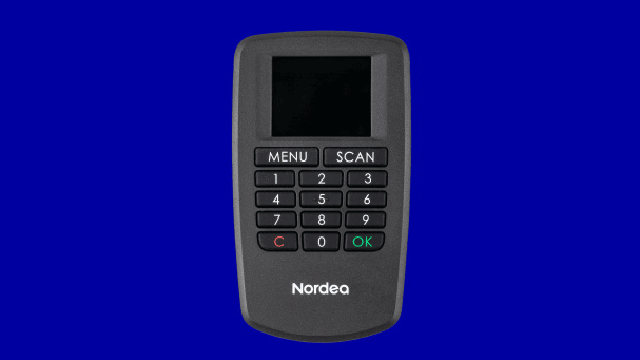
  2. Nordea ID device
  3. Nordea ID device for the visually impaired 
Strong electronic identification

If you would like to use your Nordea access codes to access public online services, such as the e-services of Kela and the Finnish Tax Administration, you should opt for strong electronic identification (e-identification). This feature needs to be included in your access codes separately.

Read more about strong electronic identification

Nordea ID device

  • The Nordea ID device is suitable for you if you are unable to use the Nordea ID app on a mobile device. 
  • You can use your Nordea ID device to only log in to Nordea Netbank, not Nordea Mobile. You can also use the device to verify your identity in other online services and to confirm payments. 

Learn more about Nordea ID device

Nordea ID device

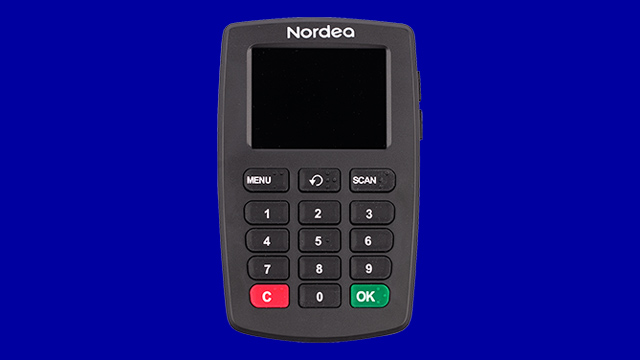
Nordea ID Talk Device

  • The Nordea ID Talk Device is suitable for you if you have a visual impairment or need extra time when pressing the buttons and if, for any reason, you are unable to use the Nordea ID app or the standard Nordea ID device. 
  • You can use your Nordea ID Talk Device to only log in to Nordea Netbank, not Nordea Mobile. You can also use the device to verify your identity in other online services and to confirm payments. 

Learn more about Nordea ID Talk Device

Nordea ID Talk Device

How do I get Nordea access codes?

Frequently asked questions about access codes

Didn’t find what you were looking for?

See more frequently asked questions about Nordea access codes.

Terms and conditions and prices